

To add Wawsome to Magento 2 or Adobe Commerce, paste your Wawsome code in Content > Design > Configuration, in HTML Head > Scripts and Style Sheets. Allow Wawsome in your Content Security Policy, then flush the cache.
Before you start
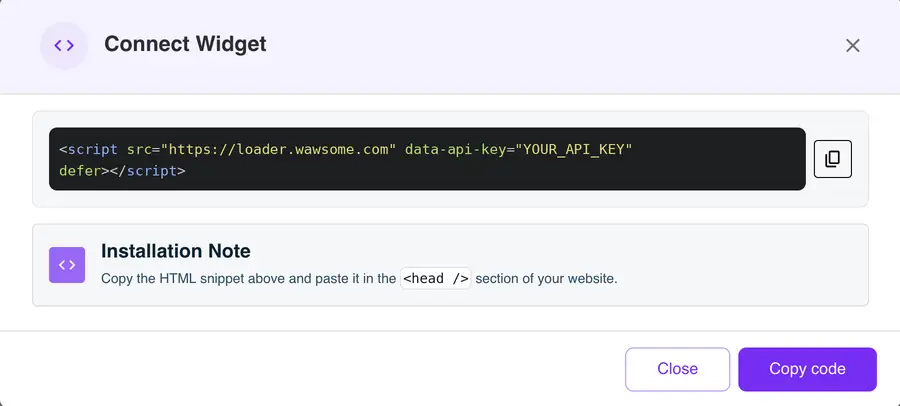
- A Wawsome account with your store added. Get your code in the dashboard: go to Websites, select your site, click Install Widget, then Copy code in the Connect Widget window.
- An admin account with access to Content > Design.
How to add Wawsome to Magento
- In the admin, go to Content > Design > Configuration.
- Find your store view and click Edit.
- Under Other Settings, expand HTML Head.
- Paste your Wawsome code in Scripts and Style Sheets. It loads in the head of every page. You can also use Footer > Miscellaneous HTML.
- Click Save Configuration.
- Repeat for each store view where you want the widget.
Allow Wawsome in your Content Security Policy
Magento only runs scripts from these fields on checkout pages if your Content Security Policy (CSP) allows them. Add these sources to your CSP allowlist, or ask your developer to:
- script-src:
https://*.wawsome.com - connect-src:
https://*.wawsome.com
Check that it works
Go to System > Tools > Cache Management and click Flush Magento Cache. Then open your store in a private window, including a checkout page, and look for the Wawsome button.
What the widget does and doesn't fix
- Shoppers can adjust text, colors and navigation to their needs.
- AI adds alt text to product images that have none. You can edit every label.
- Your theme, product content and checkout flow still need care. A scan finds issues like missing form labels, and our experts can test your checkout by hand.
Learn more: Run a free scan · Accessibility audits · PrestaShop guide
Magento accessibility FAQ
Why doesn't the widget show on checkout?
Magento's Content Security Policy blocks scripts on checkout pages unless you allow them. Add the Wawsome sources above to your CSP allowlist and flush the cache.
I have several store views. What do I do?
Design Configuration works per store view. Add the code to each store view where you want the widget. It's the same code for all of them.
Why don't I see my changes?
Magento caches pages. Flush the cache in System > Tools > Cache Management, then reload your store.
Get started with Wawsome
Make your store easier to use for every shopper. Start your free trial, or book a demo and we'll show you how Wawsome works.
Start your free trial or book a demo (opens in a new tab).
Related guides: Add Wawsome to any website · Install with Google Tag Manager