
PrestaShop has no back office field for custom code. To add Wawsome, use a custom code module from PrestaShop Addons, or add a short script to your theme's custom.js file. Then clear the cache.
Before you start
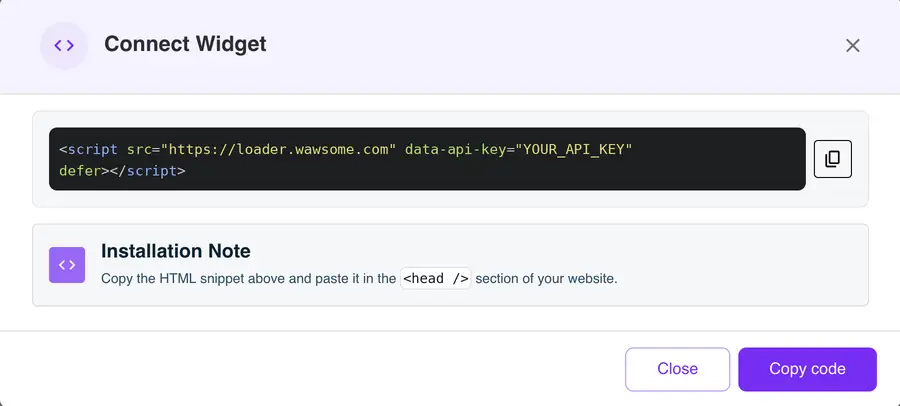
- A Wawsome account with your store added. Get your code in the dashboard: go to Websites, select your site, click Install Widget, then Copy code in the Connect Widget window.
- Back office access, and for option 2, access to your theme files.
Option 1: A custom code module
Several modules on PrestaShop Addons let you add your own code to every page from the back office. Install one, paste your Wawsome code in its head or footer field and save. This is the easiest way if you don't edit theme files.
Option 2: Your theme's custom.js file
PrestaShop themes load a file called custom.js at the end of every page. It's empty by default and made for your own scripts. It takes JavaScript, not HTML tags, so use this version of the code. Replace YOUR_API_KEY with the value after data-api-key= in the code you copied.
(function () {
  var s = document.createElement('script');
  s.src = 'https://loader.wawsome.com';
  s.setAttribute('data-api-key', 'YOUR_API_KEY');
  s.defer = true;
  document.body.appendChild(s);
})();
- Open your theme's
assets/js/custom.jsfile. - Paste the code and save the file.
Use a child theme if you can. A theme update replaces the original theme's files, and your code with them.
Check that it works
Go to Advanced Parameters > Performance and click Clear cache. Then open your shop in a private window and look for the Wawsome button.
What the widget does and doesn't fix
- Shoppers can adjust text, colors and navigation, and use reading tools.
- AI adds alt text to product images that have none. You can edit every label.
- Your theme, product pages and checkout steps still matter. A scan finds issues like missing form labels, so you can fix them in PrestaShop.
Learn more: Run a free scan · Accessibility audits · Magento guide
PrestaShop accessibility FAQ
Is there a field for custom code in PrestaShop?
No. PrestaShop doesn't have one in the back office. Use a module from PrestaShop Addons or your theme's custom.js file.
Will a theme update remove the widget?
It can, if you edited the original theme. Put the code in a child theme, or use a module, and updates won't touch it.
Why don't I see the widget after I add it?
PrestaShop caches your theme files. Clear the cache in Advanced Parameters > Performance and reload your shop.
Get started with Wawsome
Make your store easier to use for every shopper. Start your free trial, or book a demo and we'll show you how Wawsome works.
Start your free trial or book a demo (opens in a new tab).
Related guides: Add Wawsome to any website · Install with Google Tag Manager