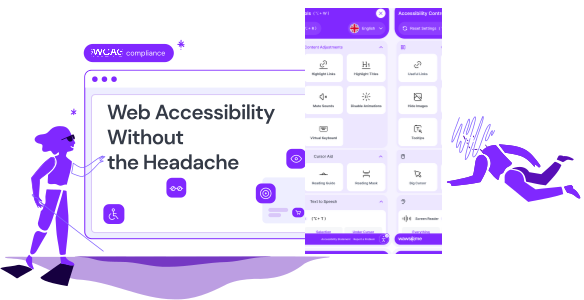
The AI accessibility widget that adapts your site to each visitor
Visitors pick a profile or adjust text, colors and navigation themselves. AI adds missing alt text, and you decide what stays. You add it to your site with one line of code.

Pick a profile or change a setting and watch the sample page change. This is how visitors use the widget on your site. Changes happen in their browser only, and one click resets everything.
Accessibility controls
Sample page
HomeShopContact
Spring sale on garden tools
Everything for your garden is 20% off this week. Order by Friday and get free delivery.
Orders and returns this week
OrdersReturns
Read the delivery termsShop now
What a screen reader hears
One click turns on a set of settings made for a specific need. Visitors can fine-tune any of them.
Bigger text, a readable font, more space between lines and letters, and text alignment.
Higher contrast, inverted colors, softer or stronger saturation, monochrome, custom colors and color correction for color blindness.
Highlight links and titles, hide images, mute sounds, stop animations, and follow a reading guide or mask.
Images without alt text are silent for screen reader users. After the first scan, Wawsome's AI writes a description for every image that's missing one. It also adds labels to buttons and form fields that don't have them.
Review every description in the dashboard. Approve it, write your own or go back to the original.
Admins can update labels from the widget on the live page, without opening the dashboard.
Try the alt text editor
alt=""
The widget, AI alt text and reading voice work in many languages. Wawsome detects your site's language on its own, and visitors can switch it in the widget.
The built-in reader reads your content aloud at the speed each visitor picks. It can read the whole page, only the text a visitor selects, or whatever is under the cursor.
Switch the language, then listen
Many people don't use a mouse. Visitors can reach every link, button and form field with the keyboard, and jump to the main parts of a page with shortcuts.
On a Mac, use Option instead of Alt.
Try it: press Tab
Move through this sample page with Tab, and go back with Shift + Tab.
Add one line of code and the widget is live. It works with any website, CMS or framework, and you can also add it with Google Tag Manager.
Settings only change what that visitor sees. Your code stays the same, and one click resets everything.
Choose the button, position, size, shape, color and default language.
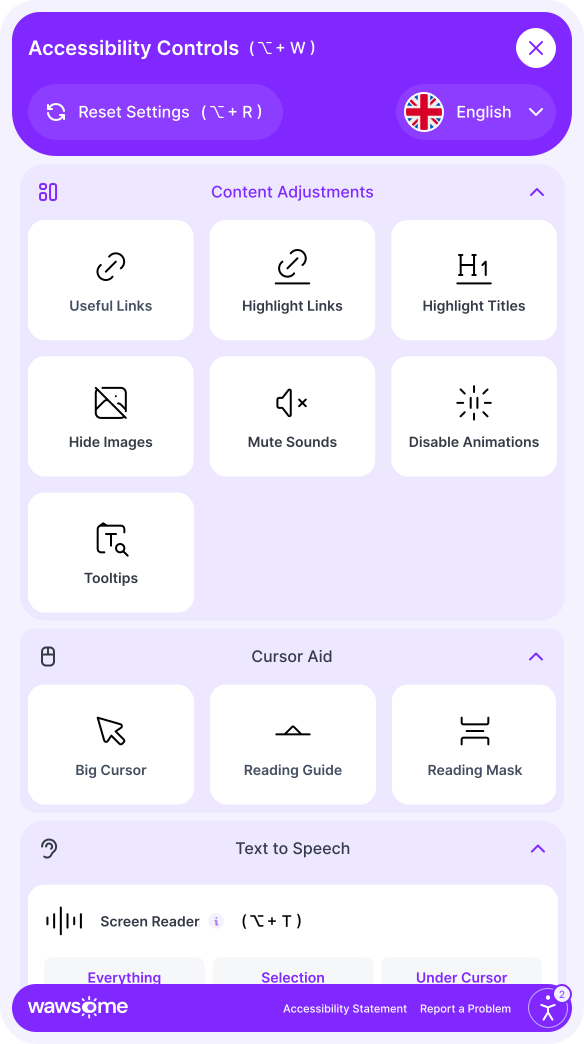
The widget links to your accessibility statement and lets visitors report a problem they run into.
The widget doesn't collect personal data or store cookies. Wawsome is ISO 27001 and ISO 9001 certified.
The widget helps visitors adjust your site and fixes common issues, like missing alt text. It can't fix problems inside your code or content, and no tool can make a site 100% accessible on its own.
Find those issues with the Accessibility Checker and Monitor, and bring in an expert audit when you need the full picture.
The widget helps with
Needs a fix in your code or content
The scanner and monitor find many of these. An expert audit checks what tools can't.
Start a 7-day free trial, or book a demo and we'll show you how the widget works.
A tool on your website that lets each visitor adjust how the site looks and works for them: text size, colors, contrast, navigation and more. Wawsome's widget also uses AI to add missing alt text and labels.
No. It improves the experience for many visitors and fixes common front-end issues. Some issues can only be fixed in your code or content, and some need a person to test them. Wawsome's checker, monitor and expert audits help with those.
Blind, visually impaired, motor impaired, ADHD helper, color blind and dyslexia. Visitors can also build their own with custom settings.
After the first scan, AI writes descriptions for images without alt text and labels for elements that are missing them. You can approve, edit or revert each one in the dashboard, or right inside the widget.
No. Changes happen in each visitor's browser and can be reset with one click. Your code and content stay the same.
The script is under 150 KB and loads in the background, so it doesn't block your page.
Yes. Choose the button, position, size, shape, color and default language.
The widget, alt text and reading voice work in 55+ languages, and Wawsome detects your site's language automatically.
Paste one line of code into your site, or add it with Google Tag Manager. It works with any website, CMS or framework.
No. It doesn't collect personal data or store cookies.