
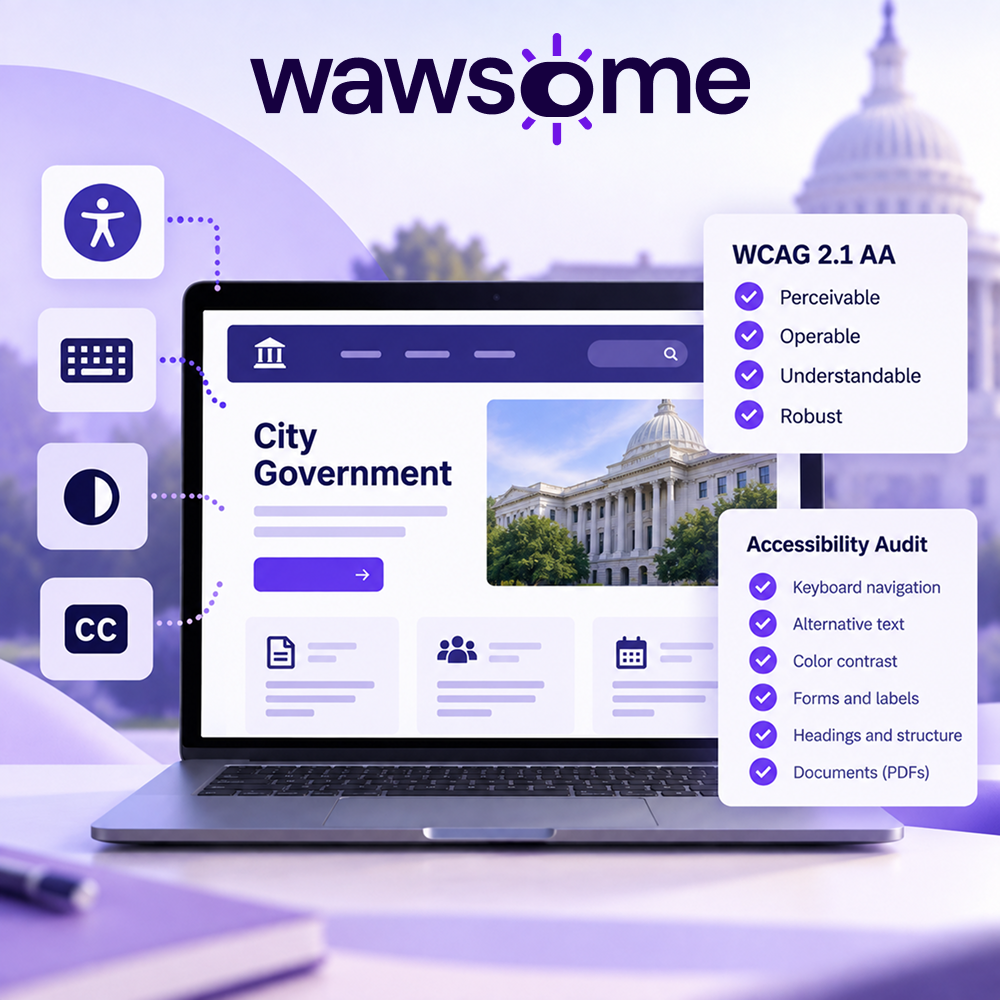
Government Website Accessibility Audit: ADA, WCAG and What Public Agencies Need to Know
Government websites are often the main way people access public services, information, applications, forms, and essential resources. For people with disabilities, accessibility barriers can make these services difficult or impossible to use.
That makes government website accessibility more than a usability consideration. It is also a regulatory requirement in many jurisdictions.
In the United States, the Department of Justice's Title II rule establishes specific accessibility requirements for web content and mobile applications provided by state and local governments. The technical standard specified by the rule is WCAG 2.1 Level AA.
ADA Title II web accessibility rule
But knowing which standard applies is only the beginning. Government agencies also need a practical process for identifying accessibility issues, fixing them, testing important user journeys, and monitoring websites as they change.
This guide explains what a government website accessibility audit involves, what WCAG 2.1 AA means for public-sector websites, and how organizations can build an ongoing accessibility process.
But knowing which standard applies is only the beginning. Government agencies also need a practical process for identifying accessibility issues, fixing them, testing important user journeys, and monitoring websites as they change.
This guide explains what a government website accessibility audit involves, what WCAG 2.1 AA means for public-sector websites, and how organizations can build an ongoing accessibility process.
What are the accessibility requirements for government websites?
Government website accessibility requirements depend on the jurisdiction and type of public entity.
In the United States, the Department of Justice's Title II web accessibility rule applies to state and local government entities and covers web content and mobile applications that public entities provide or make available, including through contractual or other arrangements.
The rule adopts WCAG 2.1 Level AA as the technical accessibility standard.
The current compliance dates are:
- April 26, 2027 for state and local government entities with populations of 50,000 or more.
- April 26, 2028 for entities with populations below 50,000.
- April 26, 2028 for special district governments.
These requirements cover more than a government homepage. Depending on the circumstances, accessibility considerations can extend to:
- Government websites
- Online forms
- Digital applications
- Public information
- Documents and PDFs
- Online services
- Web-based systems
- Mobile applications
Government agencies therefore need to consider accessibility across the digital services they provide, rather than treating accessibility as a one-time website project.
For the official requirements, see the ADA Title II web accessibility rule.
When do government websites need to comply?
For U.S. state and local governments covered by the Title II rule, the applicable compliance date depends primarily on the entity's population.
After the applicable date, public entities must continue to maintain accessibility rather than treating compliance as a one-time project.
What is WCAG 2.1 Level AA?
The Web Content Accessibility Guidelines (WCAG) are international guidelines developed by the World Wide Web Consortium (W3C) for making web content more accessible to people with disabilities.
WCAG is organized around four principles. Web content should be:
- Perceivable — users must be able to perceive the information being presented.
- Operable — users must be able to navigate and interact with the interface.
- Understandable — information and user interfaces should be understandable.
- Robust — content should work reliably with different browsers, assistive technologies, and other user agents.
WCAG 2.1 defines three levels of conformance: A, AA, and AAA.
For U.S. state and local government entities covered by the current Title II web accessibility rule, the required technical standard is WCAG 2.1 Level AA.
You can read the full WCAG 2.1 specification on the W3C website.
What does a government website accessibility audit check?
A government website accessibility audit evaluates whether a website and its digital content create barriers for people with disabilities.
The exact scope of an audit depends on the website, its technology, and the services it provides. Common areas include:
Keyboard accessibility
People who cannot use a mouse may rely entirely on a keyboard or alternative input device.
An audit should check whether users can:
- Navigate through interactive elements
- Reach all important controls
- Open and close menus
- Complete forms
- Operate dialogs and other interactive components
- See where keyboard focus is located
Images and alternative text
Images that communicate information generally need appropriate alternative text.
An audit should consider whether:
- Informative images have meaningful alt text
- Decorative images are appropriately identified
- Complex graphics have an appropriate text alternative
- Images containing important information are accessible to screen reader users
Color contrast and visual presentation
Text and important interface elements need sufficient contrast and should not rely solely on color to communicate information.
This is particularly important for government websites because users may need to access essential information regardless of visual ability.
Forms and online services
Forms are often among the most important parts of a government website.
Accessibility testing should examine:
- Form labels
- Instructions
- Required fields
- Error messages
- Error identification
- Keyboard operation
- Focus behavior
- Accessible names and descriptions
Headings and page structure
Logical headings help users understand the structure of a page and navigate content efficiently, particularly when using assistive technologies.
An audit should check whether headings are:
- Properly structured
- Meaningful
- Used consistently
- Appropriate for the content hierarchy
Links and interactive elements
Links, buttons, menus, accordions, dialogs, and other interactive elements need to be understandable and operable.
Common issues include:
- Unclear link text
- Keyboard traps
- Missing accessible names
- Incorrect focus behavior
- Controls that cannot be operated without a mouse
Documents and PDFs
Government websites frequently publish PDFs and other downloadable documents.
These documents can introduce additional accessibility barriers, including:
- Missing document structure
- Incorrect heading hierarchy
- Images without alternative text
- Inaccessible tables
- Incorrect reading order
- Poor tagging
A website accessibility process should therefore consider important documents alongside HTML pages.
For a practical introduction to checking accessibility, see Easy Checks – A First Review of Web Accessibility.
What is the difference between an automated scan and a manual accessibility audit?
Automated accessibility testing can identify many common accessibility problems quickly and consistently.
However, an automated scan is not the same thing as a complete accessibility audit.
W3C explains that accessibility evaluation tools can help identify potential issues, but they cannot check every aspect of accessibility automatically. Human judgment is required to determine whether a website is accessible.
See Evaluating Web Accessibility for more information from W3C.
What automated testing can identify
Automated testing can help identify:
- Missing alternative text
- Certain color contrast issues
- Missing or incorrect labels
- Structural issues
- Some ARIA problems
- Certain keyboard-related issues
- Other machine-detectable WCAG failures
What manual testing can evaluate
Manual testing can evaluate:
- Real user journeys
- Complex interactions
- Keyboard behavior
- Focus management
- Content meaning
- Error handling
- Screen reader behavior
- Whether a service can actually be completed successfully
The goal is not to choose between automated and manual testing.
The strongest approach is to use automation to scale testing and human evaluation to assess what automation cannot reliably determine.
How to perform an accessibility audit on a government website
A structured process makes a government website accessibility audit more useful and easier to maintain.
1. Define the scope
Start by identifying the digital services that need to be evaluated.
This may include:
- The main government website
- Service pages
- Forms
- Search
- Online applications
- Payment systems
- Documents
- Frequently used landing pages
- Mobile applications
- Third-party services integrated into the website
Prioritize services that residents or citizens rely on most.
2. Establish an accessibility baseline
Run an initial accessibility scan to identify common issues across the website.
This gives the team a starting point and helps reveal recurring problems that may exist across templates or components.
An automated baseline can also help teams understand whether accessibility issues are isolated or systemic.
3. Test important user journeys
Testing individual pages is useful, but government websites are often service-oriented.
For example, an agency might need to test whether a resident can:
- Find a specific service.
- Understand the eligibility requirements.
- Complete the application.
- Correct an error.
- Submit the form.
- Receive confirmation.
A page can pass individual automated checks while a complete user journey still contains accessibility barriers.
4. Perform manual testing
Manual evaluation should complement automated testing.
Test important pages and workflows using keyboard navigation and relevant assistive technologies.
For more comprehensive evaluations, W3C recommends structured approaches such as its WCAG Evaluation Methodology (WCAG-EM).
5. Prioritize findings
Not every accessibility issue has the same impact.
Prioritize issues based on factors such as:
- Whether they block access to an essential service
- How many pages are affected
- Whether the issue affects a reusable component
- Whether users can find an alternative way to complete the task
- The applicable WCAG success criterion
- The effort required to remediate it
6. Remediate and retest
Fix the underlying accessibility problems in the website's code, content, templates, components, or documents.
Then retest the affected areas.
This is important because fixing one accessibility issue can sometimes introduce another, particularly when changes affect shared components.
7. Continue monitoring
Accessibility is not static.
Government websites change constantly:
- New pages are published
- Documents are uploaded
- Forms are redesigned
- CMS components are changed
- Third-party services are introduced
- Developers deploy new code
A website that was accessible during one audit can develop new accessibility issues later.
That is why ongoing monitoring should be part of the accessibility process rather than treating an audit as the final step.
Why ongoing accessibility monitoring matters for government websites
A one-time audit provides a snapshot.
Monitoring provides visibility into what happens after that snapshot.
For public-sector organizations with frequently updated websites, continuous or recurring accessibility monitoring can help identify new issues after:
- Website updates
- New content publication
- Template changes
- New forms
- New documents
- Design changes
- Development releases
This creates a more sustainable process:
Scan → identify → prioritize → fix → retest → monitor → repeat
W3C recommends evaluating accessibility early and throughout the development process, rather than waiting until the end of a project.
Accessibility Monitoring can help identify accessibility issues between formal audits.
How Wawsome can help with government website accessibility
Wawsome combines accessibility scanning, monitoring, reporting, remediation support, and user-facing accessibility features in one platform.
Scan websites for accessibility issues
Wawsome's accessibility scanning capabilities can identify accessibility issues across a website and provide detailed reporting around detected problems.
This gives teams a practical starting point for identifying and prioritizing accessibility work.
Start with a free accessibility scan.
Track issues and remediation
Accessibility findings can be used to help teams understand which issues need attention and track accessibility work over time.
This can make it easier for internal teams, developers, and agencies to work from a shared accessibility baseline.
Monitor changes over time
Wawsome's Accessibility Monitor continuously checks websites for accessibility issues and can detect problems associated with new or modified content.
This is particularly useful for public-sector websites where content may be published or modified by multiple teams.
Give visitors additional accessibility controls
Wawsome's accessibility widget provides visitors with a range of accessibility adjustments, including options related to text, contrast, navigation, screen-reader functionality, and other aspects of the browsing experience.
These features can provide additional flexibility for visitors while an organization works on the underlying accessibility of its website.
Important: An accessibility widget should not be treated as a substitute for making the website itself accessible.
An accessibility widget is not the same as an accessible website
An accessibility widget can provide useful functionality for visitors, but it does not eliminate the need to address accessibility problems in the underlying website.
W3C makes a similar distinction with accessibility evaluation tools: automated tools can assist with evaluation, but they cannot determine accessibility on their own. Human evaluation remains necessary.
For government organizations, a stronger accessibility strategy combines:
- Accessible website code and content
- Automated accessibility testing
- Manual evaluation
- Remediation of underlying issues
- Retesting
- Ongoing monitoring
- Appropriate accessibility support for visitors
This layered approach helps organizations address accessibility as an ongoing process rather than relying on a single technology or one-time assessment.
What should a government agency do after an accessibility audit?
An accessibility audit is most useful when its findings lead to concrete action.
After completing an audit, a government organization should:
Prioritize critical services
Start with the services and information that residents rely on most.
A problem preventing someone from completing an essential online service should generally receive more attention than a low-impact issue on an informational page.
Assign responsibility
Accessibility needs clear ownership.
Depending on the organization, responsibilities may be shared between:
- IT teams
- Web developers
- Content teams
- Communications teams
- Procurement
- External agencies
- Accessibility specialists
Fix underlying issues
Where possible, address accessibility problems in the source code, templates, components, content, and documents rather than simply masking the symptoms.
Retest
After remediation, test the affected pages and user journeys again.
Establish an ongoing process
Create accessibility checks as part of:
- Website publishing
- Development
- QA
- Content creation
- Procurement
- Redesigns
- New digital services
Keep documentation current
Accessibility documentation should reflect the current state of the website and the organization's accessibility process.
This can include:
- Accessibility evaluation results
- Remediation records
- Accessibility statements where required
- Feedback mechanisms
- Internal accessibility procedures
Frequently Asked Questions About Government Website Accessibility
Do government websites have to be accessible under the ADA?
For state and local government entities covered by Title II, the U.S. Department of Justice has established specific requirements for the accessibility of web content and mobile applications. The technical standard specified by the rule is WCAG 2.1 Level AA.
See the ADA Title II web accessibility rule for the official requirements.
What WCAG standard applies to U.S. government websites?
For state and local government entities covered by the current Title II web accessibility rule, the required technical standard is WCAG 2.1 Level AA.
The WCAG 2.1 specification is maintained by W3C.
When do U.S. government websites need to comply with WCAG 2.1 AA?
The current deadlines are April 26, 2027 for state and local government entities with populations of 50,000 or more, and April 26, 2028 for entities with populations below 50,000 and for special district governments.
Is an automated accessibility scan enough?
No. Automated accessibility testing can identify many common issues, but W3C states that automated tools cannot check all aspects of accessibility and that human judgment is required. See Evaluating Web Accessibility for more information.
What is an accessibility audit?
An accessibility audit is a structured evaluation of a website, application, or digital service to identify accessibility barriers and assess its conformance with applicable accessibility requirements or standards.
An audit can combine automated testing, manual testing, assistive technology testing, and evaluation of important user journeys.
How often should a government website be audited?
There is no single frequency that is appropriate for every website.
The right approach depends on factors such as:
- How frequently the website changes
- How many people publish content
- How complex the website is
- How important its online services are
- Whether the organization regularly releases new functionality
A recurring combination of automated monitoring and periodic comprehensive evaluations can help identify issues between formal audits.
Can Wawsome replace a manual accessibility audit?
No. Wawsome can support automated accessibility testing, monitoring, reporting, and remediation workflows, but a comprehensive accessibility evaluation can require human judgment and manual testing. W3C explicitly states that no automated tool can determine accessibility on its own.
Does hiring a web agency transfer accessibility responsibility to the agency?
Using an external agency does not eliminate the need for the government organization to manage accessibility.
Public-sector organizations should establish accessibility requirements in procurement and development processes and make sure accessibility is addressed throughout the lifecycle of their digital services.
How to get started with a government website accessibility audit
The first step is understanding where your website currently stands.
Start with a free accessibility scan to identify common issues, review the results, and prioritize the areas that have the greatest impact on users.
From there, combine automated testing with manual evaluation, remediate the underlying problems, and establish ongoing monitoring so that new website changes do not quietly introduce new accessibility barriers.