
For product, design, engineering and QA teams
Build accessible products. Ship with confidence.
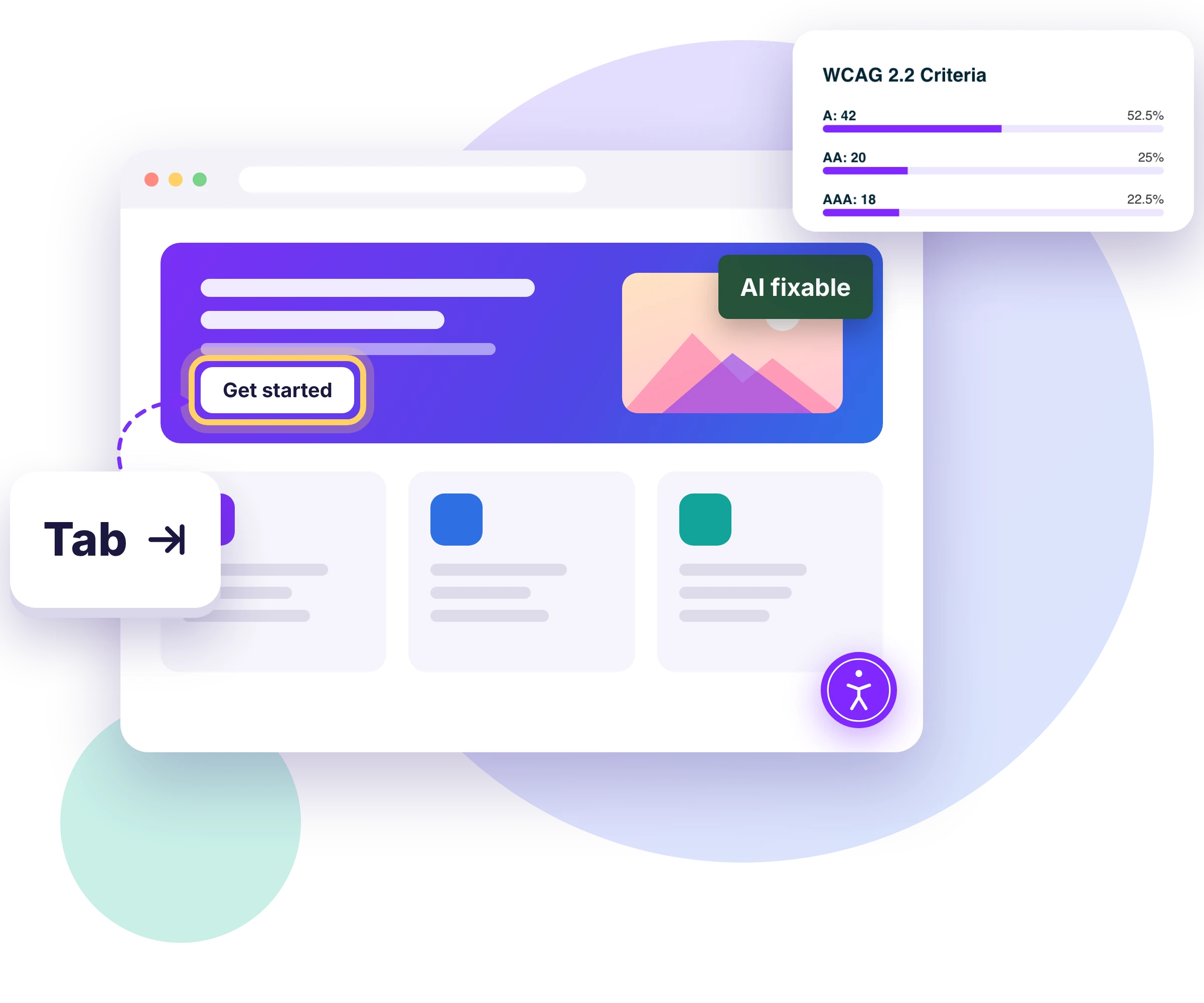
Make accessibility part of your product lifecycle. Wawsome brings digital accessibility to development teams with expert audits, automated testing, AI-assisted fixes and continuous monitoring, so you catch barriers early and keep them out as your product changes.
- Websites, web apps, mobile apps and documents
- WCAG 2.2 and EN 301 549
23.9%
of people aged 16 and over in the EU have a disability.
Source: Eurostat, 2024
29%
of surveyed companies had a network of disabled customers or stakeholders to inform product innovation and research.
Source: The Valuable 500, The Valuable Truth report, 2022 (survey of member companies)
33%
of surveyed companies hadn't started exploring inclusive design as a source of innovation.
Source: The Valuable 500, The Valuable Truth report, 2022 (survey of member companies)
Your roadmap is full. Accessibility issues shouldn't keep coming back.
Four places where accessibility debt builds up in product work.
Product debt
A feature can meet its requirements and still stop someone from signing in, paying or sending a request.
How Wawsome helps
Scans and expert testing show which journeys are blocked, so you can decide what goes into the next sprint.
- Critical journey completion
Engineering debt
One inaccessible component can repeat the same defect across dozens of screens.
How Wawsome helps
Findings are grouped by recurring patterns, so you fix the shared component once instead of every screen.
- Repeat defect rate
QA coverage
A clean automated scan doesn't prove that someone can finish a task. Keyboard traps, confusing announcements and changing states need human testing too.
How Wawsome helps
Expert testing with keyboards, screen readers and real tasks covers what automated checks miss.
- Release test coverage
Release regressions
New features, dependencies, content and third-party tools can bring barriers back after a release.
How Wawsome helps
Recurring scans and planned retests keep accessibility in your release process.
- Regression rate
One accessibility approach. Different responsibilities.
Product management
Make accessibility a roadmap input. Find blocked journeys, set acceptance criteria and prioritize fixes by user impact, together with engineering.
- Activation rate
- Task completion
UX, design and research
Include people with disabilities in research. Define focus order, labels, error recovery, contrast and component states before handoff.
- Task success rate
- Time on task
Software engineering
Turn findings into reproducible tasks. Review semantic HTML, accessible names, ARIA, keyboard use and dynamic states. Fix shared components at the source.
- Remediation lead time
- Repeat defects
QA and test engineering
Combine automated checks with keyboard, screen reader and full task testing. Retest fixed defects and add accessibility criteria to your release checklist.
- Escaped defects
- Regression rate
Engineering leadership
See the remediation scope across squads. Use severity, affected journeys and effort estimates to plan capacity, technical debt and release readiness.
- High-severity open findings
- Backlog age
Make accessibility part of the way you already build software.
Five steps that fit your current lifecycle, from planning to monitoring after release.
Discover and plan
What your team does
Pick your priority journeys, the requirements that apply and what your users need.
How Wawsome helps
Expert gap assessments and feedback from people with disabilities shape the roadmap.
Design and specify
What your team does
Define accessible interaction states and acceptance criteria before handoff.
How Wawsome helps
Component-level audit findings feed your design system and handoff decisions.
Develop and fix
What your team does
Build with semantic code and fix structural defects at the source, in your own backlog.
How Wawsome helps
Scanner findings, expert recommendations and eligible AI-assisted fixes speed up the work.
Test and release
What your team does
Agree a test matrix of browsers, devices, assistive technologies and full journeys. Your team owns the release decision.
How Wawsome helps
Verified fixes, open findings and test evidence support your go or no-go call.
Monitor and iterate
What your team does
Review issue trends and plan targeted retests after big releases.
How Wawsome helps
Recurring scans flag new issues and track progress over time.
Find, fix and monitor barriers with the right mix of tools and expertise.
AI-assisted fixes
Fix eligible common issues, like missing image descriptions and labels, with AI-assisted improvements. Review the output in context. Structural problems and complex interactions still need work in your code.
Continuous monitoring
Schedule scans and follow detected issues over time. History and alerts help you spot regressions after a release and report progress across teams.
Expert audits and testing
Go beyond automated checks. Experts test websites, web apps, iOS and Android apps and documents, with keyboards, screen readers and people with disabilities. Findings come with evidence, user impact and fix recommendations.
Audit report and roadmap
Turn findings into a prioritized plan, with affected components, steps to reproduce, severity and recommendations. Use it in your own issue tracker. Wawsome also helps you draft your accessibility statement.
Accessibility widget
Visitors can adapt text size, spacing, contrast and colors. You set profiles, language and look. The widget complements accessible design and code. It doesn't replace them.
Automated accessibility scanning
Find automatically detectable issues on any page. See WCAG findings, severity, a score and suggested fixes. Start from a baseline, not a blank backlog.
- WCAG 2.1 and 2.2 AA
- EN 301 549
- European Accessibility Act


From a finding to an engineering-ready task
An illustrative example of how one finding reaches your backlog.
Issue
Keyboard focus escapes the checkout dialog.
Impact
Keyboard users lose their place and can't reliably complete the payment.
Reference
WCAG 2.4.3 Focus Order, and 2.1.2 No Keyboard Trap if a trap is confirmed.
Expected behavior and retest
Focus moves into the dialog, stays there while it's open and returns to the trigger on close. Retest with a keyboard and the agreed screen reader.
Automation where it helps. Human expertise where it matters.
No scanner, widget or statement alone proves conformance. Combine automated detection, expert testing, prioritized fixes and ongoing checks. Your team keeps ownership of product decisions and code.
Needs your team
- Changes to source code, templates and shared components
- Design system decisions on focus, states, color and layout
- Release decisions and the final review of every fix
- Third-party components, through their vendors
- Deciding which legal duties apply, with your legal team
What Wawsome does
- Scans and monitors your web pages after every release
- Fixes eligible issues in the browser and flags the rest
- Groups findings by component and ranks them by severity
- Tests web apps, mobile apps and documents with experts
- Retests fixes against agreed criteria
- ISO 27001 certified information security and GDPR-aligned data processing
Build accessibility evidence before the next compliance question arrives.
The European Accessibility Act applies to certain products and consumer services. WCAG and EN 301 549 are the technical references, and national laws set the details. Here's what each one means for a product team.
| Framework | What it covers | What it means for your team |
|---|---|---|
| European Accessibility Act | Certain products and consumer services, such as e-commerce and consumer banking, from 28 June 2025 | Check which of your services are in scope, and keep evidence of testing and fixes |
| WCAG and EN 301 549 | Testable web criteria (WCAG) and accessibility requirements for ICT products and services (EN 301 549) | Agree the version and the requirements for your scope. A scan or a widget alone doesn't prove conformance |
| National laws | Each EU country brings the act into its own law, with its own authorities and deadlines | Check the rules in every market you serve, with your legal team |
General information, not legal advice. Check what applies to you with your legal team. Sources: Directive (EU) 2019/882 (European Accessibility Act), W3C WCAG 2.2, ETSI EN 301 549.
Measure progress in the metrics your teams already track
Accessibility work is easier to plan when you can see it in numbers. Wawsome tracks the accessibility side. You watch it next to the product and engineering KPIs you already report on.
What Wawsome measures for you
Tracked on every scan, in one dashboard.
- Critical issues and overall score
- New issues after each release
- Time to fix, by severity
- Monitored pages and coverage
- Third-party issues, reported separately
Product and engineering KPIs accessibility can influence
Numbers your team already tracks. Watch them next to your accessibility data.
Product adoption
- Activation rate
- Critical journey completion
Engineering and QA
- Remediation lead time
- Escaped defects
Governance
- High-severity open findings
- Review coverage across products
These are KPIs to watch, not promised results. Compare the same scope before and after, and keep other releases in mind. An automated score is a diagnostic, not proof of conformance.
Trusted by Leaders and Industry Innovators










Start with the accessibility challenge you have today.
New product or redesign? Set the requirements early. Existing product? Get a baseline and a prioritized backlog. Frequent releases? Set up recurring checks after every release.
Need a manual audit of your website and documents? See our audits
Accessibility is becoming part of how leaders measure inclusion.
The Valuable 500 lists digital accessibility among five proposed disability inclusion KPIs for company reporting. For product and engineering leaders, that means a review status and next steps you can show, not one-off statements.
16%
of the world's population experience significant disability
Upwards of 90%
of the world's websites are not fully accessible to the disability community
Source: The Valuable 500
Every product is built for its users. Accessibility decides whether all of them can use it.
Accessibility for product and development teams: frequently asked questions
What is digital accessibility in software development?
It means designing, building and testing digital products so people with disabilities can use them. It covers accessible interaction patterns, semantic code, assistive technology support and checking that people can finish complete tasks, across the whole development lifecycle.
How does Wawsome fit into an agile development workflow?
Use scan and audit findings in backlog refinement to scope tasks, set acceptance criteria and plan retests. Recurring monitoring helps with post-release reviews. Your team keeps running its own sprints and releases.
Can automated accessibility testing replace manual testing?
No. Automated tools find certain issues that can be detected in code. Many interaction, context and usability barriers need human testing. Combine both for a more complete picture.
Does Wawsome support web applications, including pages behind login?
Yes. Wawsome offers web scanning, monitoring and expert audits. Experts can test login, checkout, payments and other key journeys within an agreed scope. Third-party components may need their owners to fix them, and access is agreed before testing.
Can Wawsome audit native mobile apps?
Yes. Expert testing covers agreed screens and tasks in native or hybrid iOS and Android apps, including screen readers, focus, gestures and text scaling. The web widget isn't a native mobile SDK.
Can accessibility issues be fixed automatically?
Some common web issues, like missing image descriptions and labels, can be fixed with AI-assisted improvements in the browser. Complex interactions, architecture and source code defects need your development team.
Does the widget make our product WCAG compliant?
No. The widget gives visitors useful settings and supports some improvements, but it can't establish WCAG conformance. That takes testing against the relevant criteria across the full scope, plus fixes in your code.
What is included in an accessibility audit report?
It depends on the agreed scope. A report usually includes findings, affected pages or components, WCAG references, evidence, severity, user impact and recommendations. It can also include effort estimates and acceptance criteria.
Can we test our design system and reusable components?
Yes. Wawsome tests implemented UI components, such as modals, menus, tabs, date pickers and custom controls, across their states. The findings help you fix the pattern once in your design system.
Does Wawsome integrate with Jira, GitHub, Figma or CI/CD?
There are no native connectors for these tools. Findings come with the details your team needs to create tasks in your own tracker and workflow. Tell us about your setup, and we'll discuss what fits.
How do we prevent regressions and measure progress after a release?
Schedule recurring web scans, add accessibility criteria to your release checklist and retest high-risk journeys after big changes. Track high-severity findings, time to fix and repeat defects on a consistent scope. A scan score isn't a compliance certificate.
Can Wawsome help with the European Accessibility Act?
Wawsome supports technical assessments, remediation planning and accessibility documentation. Whether the act applies, and what it requires, depends on your service, your markets and the national law in each country.
Let's make your next release more accessible.
Tell us what you're building and where accessibility fits today. We'll help you find the right starting point.
- Scanner
- Continuous Monitoring
- AI-assisted fixes
- Expert audits
- Accessibility Widget
- JS or GTM setup